Harness Prompts
Read the prompts in the paperSampling Harness
Design a robot to maximize its win rate in the tournament described below. Provide the robot’s hardware as MJCF XML and its controller as Python.
The rules and technical descriptions below define the game and its simulation environment. They do not prescribe what robot to build.
Competition
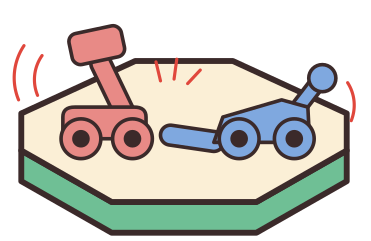
Your robot will compete in a round-robin tournament, facing every other robot in a 1v1 match. Each match takes place on an elevated circular platform, 15 m in diameter, with randomized robot starting positions. A robot loses if any part of it touches the floor below the platform. Starting 10 seconds into the round, inactivity is checked every control step. A robot loses if its two furthest center-of-mass positions in the preceding 10 seconds are less than 0.5 m apart, measured in XYZ. You win if your opponent loses before you do. If both robots trigger inactivity loss on the same step, the robot whose center of mass is more than 1 cm higher wins; otherwise, the round is a tie. If your robot causes the physics simulation to become unstable (NaN/Inf in forces), the match terminates and counts as a loss. If neither robot loses before time expires, the match is a draw.
A controller error counts as a loss. Match outcomes are resolved after each control step. If multiple loss conditions occur on the same step, the highest-priority condition determines the result: controller error, floor contact, size violation, inactivity, then physics instability. If both robots lose under that condition, the match is a tie, except for the inactivity height tiebreaker described above. Loss conditions take precedence over time expiration.
MuJoCo World
The simulation runs in MuJoCo 3.10.0 with gravity of 9.81 m/s². The robot’s root body must have a freejoint, allowing translation and rotation in all three dimensions. The controller is called every 0.01 seconds of simulated time, with 40 physics simulation steps between calls. There is no per-call time limit; the simulation waits for the controller to return. Explore any design permitted by the simulation and build rules.
Think from first principles and physics when designing your robot. Each API request has a 100-minute wall-clock limit and a maximum output length; a request that exceeds either ends the run.
Output format
Return one complete robot design using these six named sections in this order. Give concise explanations, justifications, and calculations in the planning sections.
The XML and Python must be fully implemented, mutually consistent, and self-contained, with no placeholders, ellipses, omitted helpers, or dependencies on external files.
1. name
A creative, memorable name that hints at the robot’s design or strategy.
2. design_strategy
Briefly describe the robot’s overall concept, how it will win, and how its hardware and controller work together.
Explain the key hardware and controller design choices, why you think they will help the robot win, and which aspects carry the greatest risk or uncertainty.
3. hardware_plan
Describe how the hardware works. Provide calculations evaluating its compliance with the build rules. Account for geometry and motor mass, including total mass, and check the robot’s overall dimensions. Explain how you chose actuator strengths and mechanism dimensions based on the forces, torques, and motion required by the design.
End by explicitly mapping each hardware mechanism to the attack, movement, and defense strategies described in design_strategy.
4. combat_plan
Describe how the controller works. What observations does it make use of? How does it use those observations to choose actuator commands and carry out the strategies described in design_strategy?
Explain how it handles different starting positions and orientations, opponent behavior, proximity to the platform edge, and recovery from unfavorable situations.
5. robot_xml
Provide the complete robot MJCF XML in one fenced xml code block, ready to save as robot.xml.
Follow the rules and mjcf_syntax sections, including the material palette and the mass, size, and structure constraints.
Every body, geom, internal joint, motor, mesh, site, and tendon definition must include a brief description="..." attribute explaining what it does and why it exists in relation to the other parts. The root joint and container tags do not need descriptions. The arena removes these attributes before MuJoCo compilation and uses them to explain and visualize the design.
6. controller_code
Provide the complete Python controller in one fenced python code block, ready to save as controller.py.
Implement def policy_step(obs) -> dict[str, float].
Controller state, including globals, persists between policy_step calls within a match. Every qualification and tournament match starts with a fresh controller state. This including repeated matches against the same opponent.
Use the observations and execution environment defined in obs_schema. Return a dictionary mapping every actuator name in robot_xml to a float in [-1, 1]. Actuator names must match the XML exactly. Comment the code to explain its behavior.
Check that every execution path returns valid commands for every actuator.
Before qualification, policy_step is called once on a real observation of your robot; an exception or a bad return there is reported as a validation failure.
Qualification Round
To qualify, your robot must not lose each of three 20-second rounds against a simple baseline block. Your goal is to make a robot that wins all three rounds, but not losing is the minimum bar to qualify. Both the block and your robot start at randomized positions. The block has no motors and can freely translate, rotate, and topple. It is exempt from inactivity loss. If your robot fails to qualify, it forfeits and loses the tournament.
The block is a 1.2 × 1.2 × 0.25 m plastic slab of about 342 kg with the palette's plastic friction.
Tournament Phase
Your robot faces every other robot in independently scored rounds lasting up to 300 seconds. Tournament standings use Bradley–Terry ratings, with draws counted as half a win for each robot. Both robots start at randomized positions in each round.
Rules
# Arena configuration
arena:
  shape: circle
  radius_m: 7.5  # diameter 15m
  thickness_z_m: 2.0

# Robot constraints
robot:
  # Mass constraints
  # Geometry mass: volume × material density for each geom.
  # Motor mass: sum(gear magnitude for each motor) × motor_mass_per_gear.
  # Gear magnitude is abs(gear) for a scalar, or sqrt(sum(component²)) for a vector.
  # Total robot mass includes both geometry and motor mass.
  mass:
    min_total_kg: 25.0
    max_total_kg: 800.0

  # Control constraints
  control:
    motor_mass_per_gear: 0.01
    max_dof_damping: 600.0  # Internal joint/tendon linear damping: 0–600, no additional mass cost.
    max_frictionloss: 600.0  # Per internal joint DOF or tendon; no additional mass cost.
    # Root-joint damping, frictionloss, and stiffness are fixed at 0.
    # Configurable environment setting: 0 disables gear clamping.
    # When enabled, max gear = body_inertia_min × gear_clamp_ratio.
    gear_clamp_ratio: 0

  # Structure limits
  structure:
    max_bodies: 2000
    max_geoms: 2000
    max_actuators: 2000
    min_actuators: 1

  # Maximum axis-aligned bounding box dimensions, in metres
  size:
    max_x_span_m: 2.44
    max_y_span_m: 2.44
    max_z_span_m: 3.05
Size limits apply to the robot’s initial pose defined by its XML, measured along the world X, Y, and Z axes before spawn rotation and settling. During a match the limits are also checked on every control step in your robot’s own root-body frame: if your robot’s extents along its root axes exceed 2.44 × 2.44 × 3.05 m at any step, you lose the round. Validation measures the initial pose in the root-body frame as well and rejects a robot outside the box. Design mechanisms to stay inside the box while moving.
The arena fixes condim="6", enabling sliding, torsional, and rolling friction. It sets sliding friction from each geom’s material, torsional friction to 0.005, and rolling friction to 0.0001, overriding model-specified values.
Collision settings are controlled by the simulation environment. Do not specify geom contype, conaffinity, condim, friction, priority, solmix, solref, solimp, margin, or gap, including through <default> blocks. Do not define <contact> blocks, contact pairs, or collision exclusions. The validator reports and ignores these overrides. Robot geoms use contype="1", conaffinity="1", priority="2", solmix="1", solref="0.02 1", solimp="0.9 0.95 0.001 0.5 2", and margin="0" gap="0".
The platform’s own friction never applies to a robot–platform contact: robot geoms have contact priority 2 and the platform priority 1, so your material’s friction is your traction. Priority, condim and the other contact attributes are set by the environment and cannot be changed by your XML.
MJCF syntax
MJCF is MuJoCo's XML format. You define a tree of physical parts, connect them with joints, then attach motors to drive those joints.
COORDINATE SYSTEM
- Robot-local axes: +X forward, +Y left, +Z up.
- World axes: XY is horizontal; +Z is up (gravity acts along −Z).
- Units: meters, kilograms, seconds, radians.
DOCUMENT STRUCTURE
Your MJCF XML must use the following structure:
<mujoco>
  <asset>
    <!-- inline mesh definitions, if needed -->
  </asset>
  <worldbody>
    <!-- your robot's root body goes here -->
  </worldbody>
  <tendon>
    <!-- optional tendon definitions -->
  </tendon>
  <actuator>
    <!-- motors that drive joints or tendons go here -->
  </actuator>
</mujoco>
Do not include an <option> block: global physics settings (timestep, gravity, integrator, solver) belong to the arena; any <option> in your XML is removed before validation and reported.
The <asset> block may contain inline mesh definitions for SDF geoms. Include it only if your robot uses inline meshes for SDF geoms. Any other child of <asset> (materials, textures) is removed before validation and reported.
The arena sets compiler angle="radian" when validating and composing the match.
Optional <default> blocks may define shared joint, tendon, and motor settings.
BUILDING BLOCKS
1. BODY
An MJCF <body> tag defines a rigid body that may contain geoms, joints, and child bodies.
Place exactly one root <body> directly inside <worldbody> and nest every other robot body beneath it.
pos="x y z"sets the body’s origin in its parent’s coordinate frame.- Bodies nest: a child body inherits its parent's position and orientation. A joint allows relative motion; without a joint, the bodies are rigidly connected.
- Each body with a joint or freejoint must have a geom in itself or a rigidly attached descendant. Descendants reached through another joint or freejoint do not count.
- The root body MUST have a
<freejoint/>so the robot can move freely in 3D. description="..."— REQUIRED. A short text explaining what this body does and WHY it exists (e.g. "Low steel ballast to lower center of gravity"). Stripped before MuJoCo compilation; used by the app to display design intent.
<body name="root_body" pos="0 0 0.15" description="Root coordinate frame for the robot">
  <freejoint name="root"/>
  <!-- geoms and child bodies go here -->
</body>
2. GEOM
An MJCF <geom> tag defines a geometric shape rigidly attached to its containing <body>, used for visualization, collision, and calculating mass and inertia.
<geom name="geom_name" type="geom_type" material="material_name" description="purpose"/>
-
Supported geom types:
box,cylinder,sphere,capsule,ellipsoid, andsdf.type="mesh"is not accepted; any mesh can be expressed as ansdfgeom from the same vertices and faces. -
material="name"selects a material from the palette below, determining density and sliding friction. Geom mass is volume × material density. -
Every geom must have a unique name, set by its
nameattribute. A geom without a name fails validation.
For box, cylinder, sphere, capsule, and ellipsoid geoms, size values are radii or half-lengths. For example, a box with size="1 1 1" measures 2 × 2 × 2 m.
- box:
size="half_x half_y half_z" - cylinder:
size="radius half_height" - sphere:
size="radius" - capsule:
size="radius half_length" - ellipsoid:
size="radius_x radius_y radius_z"
An SDF (signed distance field) gives the distance to a shape’s surface: negative inside, zero on the surface, and positive outside. An SDF geom can be created by defining a <mesh> in <asset> using vertices and triangular faces, then referencing it with <geom type="sdf" mesh="mesh_name"/>. MuJoCo computes the SDF from the mesh and uses it for collision detection, preserving concave features.
A mesh defines a surface using vertices connected into triangular faces. vertex lists the points, and face specifies which groups of three points form triangles. Define its vertex attribute as XYZ coordinates in meters and its face attribute as triples of zero-based vertex indices. The surface must be closed and outward-facing (every edge shared by exactly two triangles, positive enclosed volume). The simulation environment computes mass and inertia from the mesh’s enclosed volume and material density.
SDF dimensions come from mesh vertices, multiplied along X, Y, and Z by the <mesh> attribute scale="scale_x scale_y scale_z" (default: "1 1 1"). Do not use geom size to resize an SDF. The geom’s pos and orientation attributes set its position and orientation relative to its body.
A mesh asset adds no mass itself. Each geom that uses it has mass equal to the mesh’s enclosed volume × the geom’s material density.
Define mesh vertices and faces directly in robot.xml; external mesh files and custom SDF functions are not supported.
MuJoCo 3.10.0 assigns mesh-derived SDF sample signs using the normal of a nearest triangle. Near some edges and corners, this can incorrectly classify empty space as solid and produce contacts outside the intended surface. Rounding affected edges and corners with multiple facets so normals change gradually is one possible mitigation, not a requirement or a guarantee of correct collisions. Subdividing an unchanged flat surface does not change its sharp boundaries.
SDF syntax example: Define the mesh in <asset> directly under <mujoco>:
<asset>
  <mesh name="surface_a"
        vertex="0 0 0  0.6 0 0  0 0.4 0  0 0 0.3"
        face="0 2 1  0 1 3  0 3 2  1 2 3"
        description="Closed surface with explicit vertices and outward-facing triangles"/>
</asset>
Reference the mesh from an SDF geom inside a <body>:
<geom name="surface_geom" type="sdf" mesh="surface_a" material="aluminum"
      description="Uses the inline surface for SDF collision geometry"/>
Orientation:
A geom’s orientation specifies its rotation relative to its immediate parent body. By default, the geom’s axes align with that body’s axes. For cylinders and capsules, the geom’s local Z-axis passes through the centers of both ends. Set orientation on <geom> using one of the following two options:
1. Euler angles (euler)
euler="rx ry rz" specifies rotations in radians about the geom’s local X, then Y, then Z axes. Each rotation uses the axes resulting from the preceding rotations. Positive rotations follow the right-hand rule.
Euler examples:
euler="1.5708 0 0" rotates the geom approximately 90° about X, pointing its local +Z axis along its parent body’s −Y axis.
euler="0 1.5708 0" rotates the geom approximately 90° about Y, pointing its local +Z axis along its parent body’s +X axis.
2. Axis directions (xyaxes)
xyaxes="x1 y1 z1 x2 y2 z2" specifies the geom’s X-axis direction followed by its Y-axis direction, expressed in its immediate parent body’s coordinates. MuJoCo makes these axes perpendicular and normalizes them, then computes Z = X × Y.
Geom orientation and joint axis are independent. Choose their relationship to produce the intended motion. For example, a cylinder intended to rotate about its symmetry axis must have that axis aligned with its hinge axis.
3. JOINT
Defines how a child body can move relative to its parent.
- Without a joint, a child body is rigidly welded to its parent.
- Place the joint inside the child body (not the parent).
Geoms on independently moving branches of your robot can collide with each other. Check that moving parts can complete their intended motion without unintended collisions.
For hinge and slide joints, axis="x y z" sets the rotation or translation direction in the child body’s coordinates. For hinges, the rotation axis passes through pos="x y z" in those same coordinates. Defaults are axis="0 0 1" and pos="0 0 0".
To limit a hinge or slide joint’s movement, set limited="true" and range="min max". Hinge limits are angles in radians; slide limits are distances in meters. Set limited="false" for unrestricted movement.
Hinge and slide joints start at ref (default: 0), corresponding to the pose defined by the XML. Before the first controller call, the environment simulates 50 physics steps (0.0125 seconds) with zero motor commands, then sets all joint velocities to zero. Joint positions may change during settling. Observations provide current joint positions and velocities in my_robot["joints"].
Joint types:
hinge: Rotates a child body around the specified local axis. axis="0 1 0" means rotate around the local Y axis.
<joint name="rotation_joint" type="hinge" axis="0 1 0"/>
slide: Translates a child body along the specified axis. axis="1 0 0" means slide along the X axis.
<joint name="translation_joint" type="slide" axis="1 0 0"/>
ball: Allows rotation in any direction around a shared connection point (3 rotational DOF), with no relative translation at that point. pos="x y z" locates the joint in the child body's frame. axis= is ignored because there is no single rotation axis. MuJoCo represents its orientation as a unit quaternion (w, x, y, z).
<joint name="spherical_joint" type="ball" pos="0 0 0"
       description="Allows three-axis rotation at the connection"/>
A body with a ball joint cannot also have a hinge or another ball joint. It may have slide joints. The joint can be passive. A single motor provides one commanded torque component, not independent control of all three rotations. The joint's observation provides its orientation quaternion and full local angular-velocity vector.
free: 6-DOF (translate + rotate). Only for the root body of the robot.
<freejoint name="root"/>
Internal joints may use scalar damping="d" from 0 to 600 (default: 0), with no additional mass cost. Damping applies F = −d × velocity to sliding joints (d in N·s/m) and torque = −d × angular_velocity to rotating joints (d in N·m·s/rad). The environment sets root-joint damping, frictionloss, and stiffness to 0, regardless of your XML.
Internal joints and tendons may also use frictionloss="f" from 0 to 600 (default: 0), with no additional mass cost. Friction loss provides passive resistance to motion, including resistance to starting from rest, and may be combined with damping. Values are in N for slide joints and spatial tendons, and N·m per rotational degree of freedom for hinge and ball joints. For fixed tendons, the limit applies to the tendon-coordinate force; each joint's resistance is multiplied by its tendon coefficient. Values must be finite.
Internal joint and tendon springs may use scalar stiffness="k" ≥ 0, with no upper cap or additional mass cost. Stiffness must be finite. Springs must start unloaded in the XML's initial pose, before settling; motion may then load them. For hinge/slide springs, set springref equal to ref (both default to 0). Restoring force/torque is −k × displacement (k in N/m or N·m/rad). Tendon springlength sets a rest length or a two-value unloaded interval; the initial length must lie within it. If omitted, MuJoCo computes it from the joint spring-reference pose, so match every joint's springref to ref. The environment fixes joint, tendon, and actuator armature at 0.
4. MOTOR (actuator)
An MJCF <motor> applies force or torque through a transmission. Define motors inside <actuator>.
-
Only
<motor>actuators are allowed. -
Every
<motor>must have a uniquename: your controller returns a dictionary keyed by motor name, so an unnamed motor fails validation. -
Set
joint="joint_name",jointinparent="joint_name", ortendon="tendon_name"to select what the motor drives. These drive an internal hinge, slide, or ball joint, or a tendon. -
Motor forces and torques must act between parts of your robot. Do not actuate the root freejoint, use a site motor without
refsite, or anchor a transmission to the world or another robot. -
Motor force or torque equals
gear × motor command. For hinge joints, torque is in N·m and positive torque follows the right-hand rule around the joint’saxis. For slide joints, force is in N and positive force acts along the joint’saxis. -
For ball joints, set
gear="gx gy gz". These values multiplied by the motor command give the torque vector in N·m in the child body’s coordinates forjoint, or the parent body’s coordinates forjointinparent; positive components follow the right-hand rule. A single gear value specifies only the X component; the others default to 0. -
Relative-site motors use
site="site_name" refsite="reference_site_name". Both sites must belong to your robot; either may be on the root body.gear="fx fy fz tx ty tz"selects translational and rotational components in the reference site's frame, scaled by the motor command. Translation components correspond to forces in N; rotation components correspond to torques in N·m. -
Slider-crank motors use
cranksite="crank_site_name" slidersite="slider_site_name" cranklength="length". Both sites must belong to your robot. The connecting-rod length is in meters, and the slider moves along the slider site's local Z axis. Scalargear × motor commandapplies force in N to the slider-displacement coordinate. MuJoCo models the transmission; represent its physical parts with material geoms. -
Motor commands range from −1 to 1.
-
Higher absolute gear provides greater force or torque and adds motor mass.
-
Motor mass is added to the first geom of its mounting body: the joint body for joint motors, the
sitebody for relative-site motors, theslidersitebody for slider-crank motors, and the root body for tendon motors. If that body has no geom, the environment searches its rigidly attached descendants depth-first in XML order, skipping bodies with joints or freejoints. The added mass follows that geom’s shape and position, contributing to the robot’s simulated mass, center of mass, and inertia. -
Motors have no arena-imposed speed, power, energy, or thermal limits. Their available force or torque does not decrease with speed.
<actuator>
  <motor name="actuator_a" joint="rotation_joint" gear="1250"/>
</actuator>
5. TENDON
An MJCF tendon transmits force between parts. Define tendons inside an optional <tendon> block directly under <mujoco>.
- A
<spatial>tendon represents a cable routed through sites on robot bodies. A site is a massless reference point, defined as<site name="site_name" pos="x y z"/>inside a body.
Spatial tendons can wrap around sphere or cylinder geoms and branch using <pulley divisor="..."/>.
-
<fixed>defines length = sum(coef × joint_position) for hinge/slide joints. -
Tendons may have springs, scalar damping from 0 to 600 (force = −d × length_rate), and length limits (
limited="true"range="min max"). Spatial lengths are in meters; fixed tendon units follow their joint coordinates and coefficients. -
Tendons must remain entirely within the robot; world anchors and connections to other robots are forbidden.
-
Tendons and sites add no mass or collision geometry. Represent physical hardware with material geoms. Include descriptions on sites and tendons.
-
A motor may use
tendon="name"instead ofjoint="name". It applies gear × motor command to the tendon-length coordinate; negative force pulls a spatial tendon shorter.
<tendon>
  <spatial name="cable" stiffness="1000" damping="20"
           description="Elastic connection between the chassis and arm">
    <site site="chassis_anchor"/>
    <site site="arm_anchor"/>
  </spatial>
  <fixed name="coupling" description="Couples two joint coordinates">
    <joint joint="joint_a" coef="1"/>
    <joint joint="joint_b" coef="-1"/>
  </fixed>
</tendon>
<actuator>
  <motor name="winch" tendon="cable" gear="2000"
         description="Pulls the cable to move the connected mechanism"/>
</actuator>
HOW TRANSFORMS WORK (critical for correct assembly)
Every body's pos= is RELATIVE TO ITS PARENT, not the world. When a parent body moves, ALL its children move with it automatically.
Example: parent body at pos="0 0 0.15", child body inside it at pos="0.2 0.25 -0.05" -> child's world position = (0+0.2, 0+0.25, 0.15-0.05) = (0.2, 0.25, 0.10) -> when the parent moves to x=1, the child moves to (1.2, 0.25, 0.10) automatically
Geom pos= is relative to its OWN body (usually "0 0 0" or omitted). Joint in a child body only moves THAT child, not siblings.
MATERIAL PALETTE (part of mjcf_syntax)
Pick a material for every geom. Geometry mass is volume times material density; for a mesh-derived SDF, use the enclosed mesh volume. Do not use mass=, density=, body mass=, or <inertial>. An optional <asset> block may contain inline <mesh> definitions referenced by SDF geoms. Preserve these mesh definitions when processing the submission. Palette materials are injected by the arena; do not define or override materials, textures, or other assets. External asset files and custom plugin declarations are not part of this submission format.
# Material Palette
#
# Each material defines physics (density, friction) and visual (rgba, specular,
# shininess) properties. Pick a material per geom (e.g., material="steel").
# Geom mass is volume × material density. Sliding friction comes from the material's friction coefficient.
#
# Visual properties are injected as MuJoCo <material> assets so material="steel"
# is both a physics lookup AND a valid visual reference.

# Default material auto-assigned to geoms missing material= attribute.
# Must be a key in the materials dict below.
default_material: foam

materials:
  foam:
    density_kg_m3: 200
    friction: 0.5
    desc: "Structural foam"
    rgba: "0.92 0.90 0.85 1"
    specular: 0.0
    shininess: 0.0
  plastic:
    density_kg_m3: 950
    friction: 0.25
    desc: "HDPE plastic"
    rgba: "0.95 0.95 0.95 1"
    specular: 0.1
    shininess: 0.1
  rubber:
    density_kg_m3: 1200
    friction: 1.6
    desc: "High-grip rubber"
    rgba: "0.12 0.12 0.12 1"
    specular: 0.0
    shininess: 0.0
  carbon_fiber:
    density_kg_m3: 1700
    friction: 0.35
    desc: "Carbon fiber composite"
    rgba: "0.10 0.10 0.12 1"
    specular: 0.3
    shininess: 0.2
  aluminum:
    density_kg_m3: 2700
    friction: 0.45
    desc: "Aluminum alloy"
    rgba: "0.75 0.75 0.78 1"
    specular: 0.5
    shininess: 0.3
  titanium:
    density_kg_m3: 4500
    friction: 0.4
    desc: "Titanium alloy"
    rgba: "0.60 0.58 0.55 1"
    specular: 0.4
    shininess: 0.25
  steel:
    density_kg_m3: 7800
    friction: 0.6
    desc: "Mild steel"
    rgba: "0.55 0.55 0.60 1"
    specular: 0.6
    shininess: 0.5
  tungsten:
    density_kg_m3: 19300
    friction: 0.4
    desc: "Tungsten alloy"
    rgba: "0.35 0.35 0.38 1"
    specular: 0.4
    shininess: 0.3
obs_schema
policy_step(obs) receives a Python dictionary whose keys are strings. Every name listed under fields below is an exact top-level key in obs, accessed as obs["key_name"]. All listed keys are present on every controller call; lists and dictionaries may be empty where specified.
The YAML below documents each value's type, shape, units, and meaning; the values received by the controller are Python objects, not the descriptive strings shown here. np.ndarray[3] means a NumPy array of shape (3,), dict[str, float] means a dictionary mapping string keys to floats, and list[dict] means a list of dictionary records. Nested record keys are specified in “Detailed physical-state records” below. The labels fields and controller_environment organize this specification; neither is a key in obs.
fields:
  # === POSITION ===
  my_pos: "np.ndarray[3] - entire robot's center of mass [x, y, z] in world coordinates (meters); XY is the horizontal plane, +Z is up"
  opponent_pos: "np.ndarray[3] - opponent's center of mass, using the same convention as my_pos"

  # === ORIENTATION (scalars, radians) ===
  my_yaw: "float - root-body heading in radians, from −π to π (0 = world +X, pi/2 = world +Y)"
  my_pitch: "float - root-body pitch in radians, from −π/2 to π/2 (0 = level, positive = nose down)"
  my_roll: "float - root-body roll in radians, from −π to π (0 = level, positive = left side up, right side down)"
  opponent_yaw: "float - opponent's root-body heading, using the same convention as my_yaw"
  opponent_pitch: "float - opponent's root-body pitch, using the same convention as my_pitch"
  opponent_roll: "float - opponent's root-body roll, using the same convention as my_roll"

  # === VELOCITY ===
  my_velocity: "np.ndarray[3] - velocity of the root-body origin [vx, vy, vz] in world coordinates (m/s)"
  my_angular_velocity: "np.ndarray[3] - angular velocity [wx, wy, wz] about the root body's local X, Y, Z axes (rad/s), positive by the right-hand rule"
  opponent_velocity: "np.ndarray[3] - velocity of the opponent's root-body origin, using the same convention as my_velocity"
  opponent_angular_velocity: "np.ndarray[3] - angular velocity about the opponent's root-body local axes, using the same convention as my_angular_velocity"
  my_actuator_velocity: |
    dict[str, float] - maps each motor's XML name to the velocity defined below for its transmission type:
    - Hinge: angular velocity about the joint axis (rad/s), positive by the right-hand rule.
    - Slide: linear velocity along the joint axis (m/s), positive in the axis direction.
    - Spatial tendon: length change per second (m/s), positive when lengthening.
    - Fixed tendon: sum(coef × joint velocity), using signed joint velocities and coefficients.
    - Ball: joint angular velocity about the motor's torque axis (rad/s), positive in the torque direction produced by a positive motor command. Gear magnitude does not scale this value; zero gear returns 0.
    - Slider-crank: slider-displacement rate in m/s, before gear scaling (0 for zero gear).
    - Relative-site: MuJoCo's scalar actuator velocity, including all gear components. It combines the selected relative translation and rotation rates; it is not an individual joint velocity.
  opponent_actuator_velocity: "dict[str, float] - opponent motor velocities, keyed by their XML names, using the same convention as my_actuator_velocity"

  # === DISTANCES ===
  distance_to_opponent: "float - Euclidean distance in XYZ between the robots' centers of mass, my_pos and opponent_pos (meters)"
  my_edge_distance: "float - signed XY distance from your robot's center of mass to the platform edge (meters); positive inside the platform boundary, zero on it, negative outside"
  opponent_edge_distance: "float - signed XY distance from the opponent's center of mass to the platform edge, using the same convention as my_edge_distance"

  # === CONTACT ===
  opponent_contact: "bool - True if any of your robot's geoms contact an opponent geom"
  opponent_contact_force: "float - sum of force magnitudes across all contacts with the opponent (N); 0 if no contact"
  ground_contact: "bool - True if any of your robot's geoms contact the platform, including its sides"

  # === STABILITY ===
  is_tipping: "float - angle in radians between the root body's +Z axis and world +Z, divided by pi/2 and capped at 1 (0 = upright, 1 = tilted 90° or more)"

  # === INACTIVITY ===
  my_inactivity_timer: |
    float - Duration in seconds of the longest continuous period ending now
    during which every pair of recorded center-of-mass positions is less
    than 0.5 m apart in XYZ. Starts at 0 when the round begins.
    Inactivity loss triggers at 10 seconds.
  opponent_inactivity_timer: "float - measured as described for my_inactivity_timer, but for the opponent robot. Always 0 for the qualification block."

  # === TIME ===
  t: "int - completed control steps in this match; starts at 0 on the first policy_step call of each match and increases by 1 per call. Elapsed simulated time = t × 0.01 seconds"
  max_t: |
    int - control-step limit for this match: 2000 for qualification (20 seconds), 30000 for the tournament (300 seconds).
    On every policy_step call, 0 <= t < max_t.
    Scheduled time remaining = (max_t - t) × 0.01 seconds.

  # === ROBOT PROPERTIES (static per match) ===
  my_bounding_radius: "float - approximate robot radius (meters), computed once at initialization as max(XY distance from COM to each geom's center + that geom's bounding-sphere radius). Does not update as the robot moves or articulates."
  opponent_bounding_radius: "float - computed as described for my_bounding_radius, but for the opponent robot"
  ring_radius: "float - arena radius in meters (distance from center to edge)"

  # === SPATIAL GRIDS (2D top-down maps, rebuilt every timestep) ===
  arena_grid: "np.ndarray[N,N] int8 - occupancy map of circles centered on robot COMs using the static bounding radii, not actual geometry. -1=outside ring, 0=free, 1=opponent, 2=self; self overwrites opponent where circles overlap. center cell = ring center. world_x = (col - N//2) * 0.25, world_y = (N//2 - row) * 0.25"
  arena_mass_grid: "np.ndarray[N,N] float32 - uses the same circular masks as arena_grid. -1=outside, 0=free; each occupied cell repeats that robot's entire mass (kg), not mass within that cell. Self overwrites opponent on overlap."
  edge_distance_grid: "np.ndarray[N,N] float32 - signed distance to ring edge per cell. Positive=inside, negative=outside. Static per match."

  # === GAME CONTEXT ===
  game: "dict - reserved for game-specific context; empty ({}) in every match. Your controller may ignore it."

  # === HISTORY (rolling queues, most recent last) ===
  obs_history: "list[dict] - last N observations (N=max_obs_lookback, default 20). Each dict has: my_pos, opponent_pos, my_yaw, my_velocity, opponent_velocity, distance_to_opponent, my_edge_distance, opponent_edge_distance, t, my_actuator_velocity, game. Empty at t=0."
  action_history: "list[dict] - last N actions YOU took (N=max_action_lookback, default 20). Each dict maps actuator_name -> float value. Commands are recorded before motor-specific ctrl_range limits are applied. Empty at t=0."


  # === DETAILED PHYSICAL STATE ===
  control_dt: "float - simulated seconds per controller call (0.01)"
  elapsed_time: "float - elapsed match time in simulated seconds, equal to t × control_dt"
  time_remaining: "float - scheduled time remaining in simulated seconds, equal to (max_t - t) × control_dt"
  platform: |
    dict with the following keys; all distances are in meters:
    - shape: str, "cylinder".
    - center: np.ndarray[3], center of the platform's top surface in world XYZ coordinates.
    - radius: float, platform radius.
    - half_extents: np.ndarray[2], [radius, radius] along world X and Y.
    - top_z: float, platform-top height in world coordinates; equals center[2].
    - floor_z: float, lower-floor height in world coordinates.
  my_mass: "float - total simulated robot mass, including motor mass (kg)"
  opponent_mass: "float - opponent's total simulated mass (kg)"
  my_com_velocity: "np.ndarray[3] - velocity of your entire robot's center of mass in world XYZ (m/s)"
  opponent_com_velocity: "np.ndarray[3] - opponent's center-of-mass velocity in world XYZ (m/s)"
  my_robot: "dict - named geometry, bodies, joints, tendons, motors, and sites, with definitions and current state as specified below"
  opponent_robot: "dict - the same physical information for the opponent; names belong to its XML"
  opponent_surface_distance: "float - minimum separation between the robots' collision shapes (meters), computed numerically; 0 when intersecting"
  opponent_proximity: "list[dict] - closest geom pairs with separation <= proximity_cutoff; records specified below"
  proximity_cutoff: "float - maximum separation included in opponent_proximity (2 meters)"
  proximity_limit: "int - maximum number of geom pairs returned in opponent_proximity (32)"
  proximity_truncated: "bool - True if more than proximity_limit geom pairs were within proximity_cutoff"
  contacts: "list[dict] - current solver contacts involving your robot, with positions and force/torque vectors as specified below"
  contact_impulses: "list[dict] - impulses accumulated over all physics steps since the previous controller call, grouped by geom pair"
  contact_interval: "float - simulated duration covered by contact_impulses (seconds); 0 on the first call, normally control_dt thereafter"

controller_environment: |
  Available libraries (pre-loaded, no other imports allowed):
    import math         # standard math functions (atan2, sqrt, pi, sin, cos, etc.)
    import numpy as np  # also available as bare 'np' (pre-injected into namespace)
    import typing       # type hints only
    import random       # standard PRNG (seed it yourself if you need determinism)
    import collections  # deque, defaultdict, Counter
  All Python builtins are available (`range`, `len`, `min`, `max`, `abs`, `dict`, `list`, etc.), except `open`, `exec`, `eval`, `compile`, `breakpoint`, `exit`, `quit`, `input`, `globals`, `locals`, and `vars`, which are forbidden.
  Forbidden: os, subprocess, socket, open(), exec(), eval(), pickle, threading
Detailed physical-state records
Body, geom, and site positions and velocities use world XYZ coordinates unless marked local. Positions are in meters, linear velocities in m/s, and angular velocities in rad/s. Joint coordinates and frames are specified separately below. Position, velocity, force, torque, impulse, and normal vectors are np.ndarray[3]. Quaternions are np.ndarray[4] in [w, x, y, z] order. In body, geom, and site records, quaternion rotates that element’s local coordinates into world coordinates. In geom and site records, local_quaternion rotates the element’s local coordinates into its containing body’s coordinates. Joint and inertia quaternion frames are specified below. Values are detached snapshots: retaining or modifying them does not alter the simulation or future observations. Definitions remain constant within a match; positions and motion update on every call. The definitions describe the compiled robot after environment processing, including injected motor mass.
my_robot and opponent_robot each contain mass, com_position, com_velocity, root_body (the root body's name), and six dictionaries keyed by XML names: bodies, geoms, joints, tendons, motors, and sites. Runtime robot prefixes are removed. Unnamed elements receive stable generated names. Look up a root body's full pose and motion in robot["bodies"][robot["root_body"]]. Against the baseline block, obs["opponent_robot"]["root_body"] is "block", and its body record is obs["opponent_robot"]["bodies"]["block"].
- Bodies:
parent(body name, orNonefor the root),mass(kg),position,quaternion,linear_velocitymeasured at the body origin,angular_velocity,com_position, andcom_velocity. Mass and COM refer to this body's own mass, excluding descendants.local_comis its COM in body coordinates.inertia_diagonal(np.ndarray[3]) gives the three principal moments about its COM (kg·m²);inertia_quaternion(np.ndarray[4]) orients those principal axes relative to the body. - Geoms:
body(containing body name),type,size(np.ndarray[3], MuJoCo radius/half-length conventions, padded to three values),local_position,local_quaternion, worldposition,quaternion,linear_velocityat the geom origin,angular_velocity, andfriction(np.ndarray[3], sliding, torsional, and rolling coefficients). SDF geoms havetype="sdf",vertices(np.ndarray[N,3], XYZ coordinates in meters in the compiled geom’s local frame), andfaces(np.ndarray[M,3], triples of zero-based vertex indices defining triangles). Mesh dimensions come from these vertices; do not apply geomsizeto them. Geom mass is represented in its body's mass and inertia. - Joints: all internal joints, including passive ones. Each record contains
body,type,axisandanchorin body coordinates,limited,range,reference,position,velocity,stiffness,damping, andfrictionloss. Hinge positions/rates use radians and rad/s, positive by the right-hand rule aboutaxis; slide positions/rates use meters and m/s, positive alongaxis.positionis the current joint coordinate, including its reference offset;referencecontains its initial XML coordinate. For hinge and slide joints,positionandvelocityare floats;reference,damping, andfrictionlossare NumPy arrays of shape(1,). For ball joints,positionandreferenceare quaternion arrays of shape(4,)describing joint rotation relative to the initial XML configuration, not world orientation;velocity,damping, andfrictionlosshave shape(3,). Ball-joint angular velocity is expressed in the child body's local frame. For all joints,axisandanchorhave shape(3,), andrangehas shape(2,).rangeonly constrains limited joints; a ball joint's range describes rotation angle, not quaternion components. Root free-joint state is represented by the root body's pose and motion. - Tendons:
type(fixedorspatial),path,length(float),velocity(float),stiffness,damping,frictionloss,springlength(np.ndarray[2], unloaded interval),limited(bool), andrange(np.ndarray[2]). Spatial length/rate use meters and m/s; fixed length/rate are sums of signedcoef × joint position/velocity.pathis an ordered list of records:{"type": "joint", "joint": name, "coef": value},{"type": "site", "site": name},{"type": "sphere" or "cylinder", "geom": name, "sidesite": name or None}, or{"type": "pulley", "divisor": value}. - Motors:
transmission(joint,jointinparent,tendon,site, orslidercrank),target(the joint, tendon, site, or cranksite name),gear(np.ndarray[6], six MuJoCo gear components),ctrl_limited(bool), andctrl_range(np.ndarray[2]). Relative-site motors also providerefsite; slider-crank motors provideslidersiteandcranklength(meters). These definitions connect motor commands to the physical mechanism. Commands must still be in[-1, 1]; an enabledctrl_rangefurther limits the command used by that motor. - Sites:
body,local_position,local_quaternion, worldpositionandquaternion,linear_velocityat the site origin, andangular_velocity. Sites identify tendon and motor reference frames.
opponent_proximity records contain my_geom, opponent_geom, distance, my_point, opponent_point, and closing_speed. Points are world XYZ. Positive closing speed means the two points' instantaneous velocities are approaching along their separation direction (m/s); it is 0 when separation is effectively zero. It is not a prediction of future motion. Pairs are sorted by separation, with ties resolved by compiled geom order, then limited to 32. opponent_surface_distance considers all geom pairs, including those outside the proximity cutoff. Primitive proximity uses convex surface-distance queries. For SDF geoms, proximity uses the original mesh surface, which may differ from MuJoCo’s approximate collision surface. A positive proximity distance does not guarantee absence of contact. contacts reports the physics solver’s contacts. Results are numerical approximations; intersecting-shape witness points need not coincide or define a unique contact location.
Each contacts record contains my_geom, other_kind (self, opponent, platform, floor, or environment), other_geom, position, normal_toward_me, force_on_me (N), torque_on_me (N·m), and signed_distance (meters; negative means penetration). Vectors use world XYZ and act on my_geom. Torque is the contact's rolling/torsional torque about the contact point; it excludes the moment of the force about the body's COM. Contacts are from the most recent physics solve, or the settled initial solve on the first call. Self-contacts have one record for each of your participating geoms. A platform contact may be on its top or sides.
Each contact_impulses record contains my_geom, other_kind, other_geom, impulse_on_me (N·s), torque_impulse_on_me (N·m·s), and position (the force-magnitude-weighted mean contact position, or None if all force magnitudes were zero). These integrate force and contact torque over the preceding physics steps, including contacts that ended before the current call. Their signs and frames match contacts. The list is empty on the first call and resets every controller interval.
Minimal controller showing the interface and bounded return format. Neutral commands demonstrate syntax only, not navigation or combat behavior.
controller_example
def policy_step(obs) -> dict[str, float]:
    # Read the actuator names supplied by the observation.
    actuator_names = obs['my_actuator_velocity'].keys()

    # Neutral commands demonstrate the interface only.
    # Define each actuator's command according to your design and strategy.
    commands = {name: 0.0 for name in actuator_names}

    # Return a bounded float for every actuator.
    return {
        name: max(-1.0, min(1.0, float(command)))
        for name, command in commands.items()
    }
DESIGN-SPACE EXPLORATION
PERFORMANCE-FIRST DESIGN MANDATE
Optimize for the highest possible tournament win rate, not for simplicity, familiarity, ease of explanation, or conservative implementation. Qualification is a hard constraint, not the objective. A merely reliable bot that draws or loses to stronger designs is a failed design.
Take calculated engineering risks when they offer a meaningful competitive advantage. Do not choose a conventional primitive-based morphology merely because it is easier to implement or reason about. Do not treat implementation complexity, unfamiliarity, or first-attempt uncertainty as reasons to reject a stronger design.
Seriously consider custom inline SDF geometry whenever precise contact geometry could improve engagement, retention, lifting, stability, defense, locomotion, or resistance to being pushed. Primitive geoms remain acceptable only when they are genuinely the best physical solution, not when they are simply the safest or easiest option.
Design every surface intentionally. Consider whether custom profiles, concavities, tapered leading edges, asymmetric structures, interlocking contact surfaces, compliant articulation, unusual locomotion, or multifunctional mechanisms could outperform simple boxes and cylinders. Geometry should encode as much useful behavior as possible into the hardware.
Be aggressive in competitive ambition but disciplined in engineering. “Go big” does not mean using arbitrary complexity, maximum actuator gear, or unstable mechanisms. It means pursuing the strongest physically justified design, accepting manageable implementation risk, and spending complexity only where it increases expected match performance.
Before selecting the final design, ask:
- Is this the strongest morphology I can construct under the rules, or merely the easiest?
- Am I avoiding a custom shape or mechanism because it is genuinely inferior, or because it requires more careful engineering?
- What design would I choose if losing the tournament had an extreme cost?
- Does every major geometric feature improve attack, movement, defense, or recovery?
- Can the hardware itself simplify the controller or force the opponent into unfavorable contact?
- What likely opponent archetypes defeat this design, and what physical changes would remove those weaknesses?
Prefer a bold, purpose-built design with a clear path to winning over a generic design with a clear path only to surviving.
A single submission limits the number of robot designs you return, not the breadth of the design space you should explore.
Explore diverse candidate morphologies before committing to an architecture. Seek substantial differences in body organization, locomotion, support geometry, articulation, and how forces are applied to the opponent. Consider how different arrangements of physical parts could produce effective behavior, and how the same structures might contribute to movement, attack, and defense.
Assess promising candidates using the supplied physics and observations. Identify their potential advantages, dominant failure modes, and quantitative feasibility. Consider mass distribution, actuator forces, contact mechanics, stability, movement from arbitrary spawn positions, and the inactivity rule.
Compare the candidates by expected tournament win rate. Account for uncertainty, but do not let uncertainty dominate the decision: accept calculated risk when the potential competitive advantage is substantial. Select the design with the strongest physically justified path to defeating diverse opponents, not the design with the lowest implementation risk. Let this comparison determine which morphology you develop in detail.
Choose primitives, SDFs, or a combination solely according to which geometry best supports the selected design.
All examples in the syntax and observation references demonstrate implementation syntax. They do not recommend a particular morphology or control architecture.
CONTROLLER-SPACE EXPLORATION
Explore the controller design space as seriously as the morphology space. Before committing, compare materially different ways to turn the full observation stream, observation history, and actuator feedback into winning behavior. Consider estimation, prediction, planning, adaptation, recovery, opponent behavior, and coordinated use of every performance-relevant mechanism, without treating this list as exhaustive. Select by expected tournament win rate, not ease of implementation. Do not reject stateful, sophisticated, or calculated-risk control when it offers a credible advantage. Stress-test the final controller against arbitrary spawns, diverse opponents, edge pressure, tipping, stalling, and long matches.
Use your full design + engineering reasoning budget.
Check the controller’s behavior against diverse opponents, edge pressure, tipping, stalling, and long matches. Include concrete scenarios, such as: “If the robot starts at (−3, 2), facing away from its opponent, does the controller turn toward the opponent or drive off the edge?”